
How to swap BNB for BTCB and activate slot 1
Tutorial 3 of 3, the final step. Swap BNB for BTCB in SafePal, sign up with the link of the person who invited you, and activate slot 1 with two confirmations. Then see how to get back into your dashboard, any time.
Watch the video
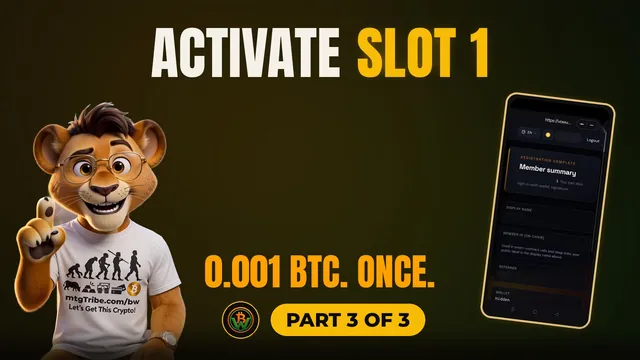
Tutorial 3, 6:10Watched
In this video
- Swap BNB for BTCB
- Sign up with your sponsor's link
- Activate slot 1
- Get back into your dashboard, any time
Tap a time to start the video at that part. It plays in a phone frame and closes itself at the end.
The button copies MTG's sign-up link. Invited by someone else? Use their link, so they stay your sponsor.
Every step, in writing
The words MTG says in the video, step by step. Tap a time to watch that step.
Welcome
Hi, my name is MTG, Your Digital Architect. Thank you for taking the time to watch this video.
In this video, I'll show you how to swap your BNB for BTCB, sign up with the link of the person who invited you, and activate slot 1. Then I'll show you how to get back into your dashboard, any time. Take your time. You can pause any step and follow along with me.
- 1
Stage 3 of 3
We start on mtgtribe.com/bw. Scroll down to Join in 3 stages. Stage 1, your wallet, was tutorial 1. Stage 2, your BNB, was tutorial 2. This is stage 3: activate slot 1.
Part 1Swap BNB for BTCB
- 2
Tap BTCB, then Swap
Open SafePal. Bitcoin Wealth takes its entry in BTCB, so we swap some of our BNB for it. The easiest way: tap BTCB, then tap Swap.
- 3
Pay BNB, receive BTCB
At the top it says Pay, BNB. Below it says Receive, BTCB. Both are BEP20, on BNB Smart Chain.
- 4
Type 0.0011
Leo, the mascot: Look here, this one's important.
Tap the Receive amount, and type 0.0011. That's a little more than the 0.001 you need, because the swap takes a small fee. SafePal works out the BNB for you. And always leave a little BNB in your wallet, for network fees.
- 5
Swap, then Confirm
Tap Swap, and check the details: the BNB you pay, the BTCB you get, and a small network fee. Tap Confirm, then enter your password, or use your fingerprint.
- 6
Success: BTCB arrived
Success. Back in the wallet, I have a little more than 0.001 BTCB, and some BNB left for fees.
Part 2Sign up with your sponsor's link
Ready to join?
Ready to join? If I invited you, go to mtgtribe.com/bw. If someone else invited you, use their link, so you join their team.
- 7
Copy the sign-up link
On my website, tap Copy Sign-Up Link. A window confirms it: sign-up link copied.
- 8
Explore, then the DApp Store
Back in SafePal, tap Explore, at the bottom. The first time, SafePal shows you a guide about DApps.
Leo, the mascot: A DApp is an app that runs on the blockchain. Your wallet opens it.
Tick, I know how to use DApps, and tap View DApp Store. Then tap the search bar at the top, and paste your link.
- 9
Choose BNB Chain
SafePal asks you to select a network. Bitcoin Wealth runs on BNB Chain, so tap BNB Chain. Read the security warning, and tap Confirm.
- 10
Check the referrer
This is the registration page. Your wallet is connected. Activation: 0.001 BTC. Your balance. And the referrer: the member ID of the person who invited you.
Leo, the mascot: Double check this.
If that number is right, tap Proceed registration.
Part 3Activate slot 1
- 11
1 of 2: Approve
Your wallet now asks you twice. First, Approve. It lets Bitcoin Wealth take exactly 0.001 BTCB. You can see the network fee, and your wallet's name. Tap Confirm.
- 12
2 of 2: Confirm again
The page says Working. Now the second one. It shows 0.001 BTCB leaving your wallet, and the fee. Tap Confirm again.
- 13
Wait for the blockchain
Now wait. The blockchain is confirming your registration. It can take a minute, so don't close the page.
- 14
Registration complete
Registration complete. Slot one is active. This is your member summary: your display name, your member ID, and 0 partners, because this account is brand new. And the 0.001 is a once-off. You never pay again to move up to the next slots.
- 15
Your own invitation link
Tap Go to dashboard. Here is your own invitation link. Tap Copy. That's the link you share with the people you invite.
For builders: a website like this one
Builders, a website like this one, with your own name and your links, does the explaining for you. BW stands for Bitcoin Wealth, and you can order yours at mtgtribe.com/bwcopy.
- 16
Your own copy of this website
Order your copy, send me your invitation link, and I'll build it in. Owners also get the traffic source I use, so you can build your team in any country.
- 17
Look around your dashboard
Take a look around your Bitcoin Wealth dashboard: your slots, your partners, your team, and your transactions.
Live on Zoom
We meet live on Zoom 5 evenings a week, in 4 languages. Ask the person who invited you to add you to the WhatsApp group, or tap the WhatsApp button below this video.
- 18
Back to your wallet
To go back to your wallet, tap the close button at the top right, then Back, then Wallet. I still have a little BNB for fees, and a little BTCB. I'm leaving it there. We collect Bitcoin, together.
Part 4Get back into your dashboard, any time
- 19
Explore, then vowu.io
Bitcoin Wealth is a smart contract on BNB Chain, so you always open it through your Web3 wallet.
Leo, the mascot: A Web3 wallet is an app where you hold your own crypto, with your own keys. SafePal is one.
In SafePal, tap Explore, then the search bar. Type vowu.io, tap Go, choose BNB Chain, and tap Confirm.
- 20
Sign & Continue
Welcome back. Tap Sign & Continue, confirm in your wallet, and you're in.
- 21
Next time: search history
Next time, it's even quicker. Explore, search, and tap vowu.io in your search history.
Recap and closing words
Recap
Let's recap what we covered in this video. We swapped BNB for BTCB. We signed up with our sponsor's link. We activated slot 1, with 2 confirmations. And we learned how to get back into the dashboard.
All 3 tutorials done
That completes the 3 tutorials. Anyone, anywhere, can now get started with Bitcoin Wealth, step by step. If this helped you, share it with your team.
One more thing
And remember: everyone needs their own copy. mtgtribe.com/bwcopy.
Closing words
Everything I showed you, plus my links, is at mtgtribe.com/bw. This video is for every team, so feel free to share it. Save this video, so it's here when you need it. Share it with someone who's ready to start. We learn best when we teach others. It pays to pay attention, and take action. Quick reminder: none of this is financial advice. Always do your own research. Thank you for tuning in, and for every like, share, and comment. Your support means everything. And thank yourself for taking massive action today to change your future! I wish you nothing but the best, because YOU are the best. I'm MTG, Your Digital Architect. See you on the next one. Let's Get This Crypto! 💪
The 3 tutorials, in order
- Tutorial 1 · 7:25Set up SafePalOpen it
- Tutorial 2 · 5:57Buy BNB, send to SafePalOpen it
- Tutorial 3 · 6:10Swap, sign up, activate slot 1You are here
Ready, or still have a question?
The sign-up button copies MTG's link and opens nothing, so you can paste it into SafePal's browser. Questions? Ask in the MTG TRIBE, or send MTG a WhatsApp message or voice note.