
How to buy BNB on VALR and send it to SafePal
Tutorial 2 of 3. Send rand from your bank to VALR with your own reference, buy BNB with it, and send that BNB to your SafePal wallet on BNB Smart Chain. Watch it, then follow every step in writing below.
Watch the video
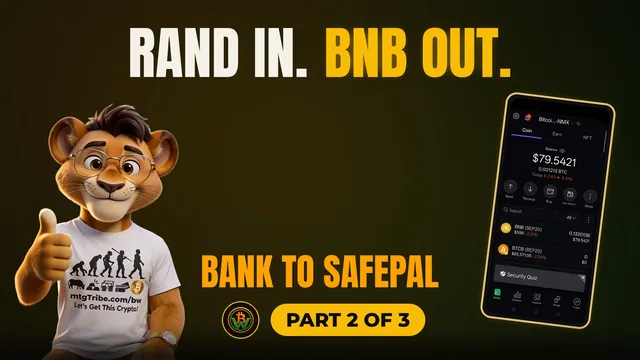
Tutorial 2, 5:57Watched
In this video
- Deposit rand into VALR
- Buy BNB
- Send your BNB to SafePal
Tap a time to start the video at that part. It plays in a phone frame and closes itself at the end.
Both exchanges let you buy crypto with rand. Many members keep both, as a backup.
Every step, in writing
The words MTG says in the video, step by step. Tap a time to watch that step.
Welcome
Hi, my name is MTG, Your Digital Architect. Thank you for taking the time to watch this video.
In this video, I'll show you how to send rand from your bank to VALR, buy BNB with it, and send that BNB to your SafePal wallet. Using Binance instead? The steps are very similar. Take your time. You can pause any step and follow along with me.
Part 1Deposit rand into VALR
Leo, the mascot: First, let's get your rand into VALR!
- 1
Assets, then Rand
Open the VALR app and tap Assets, at the bottom right. Under Cash and stablecoins, tap Rand. Can't see it? Tap Search and type rand.
- 2
Deposit, Fiat, ZAR
Your rand wallet has three buttons: Buy and sell, Deposit and Withdraw. Tap Deposit. Keep Fiat deposit, with ZAR as the currency, and tap the arrow next to Method.
- 3
Method: EFT
Choose EFT, a normal transfer from your bank. That's the one I recommend.
- 4
Read the notes
Read these notes. VALR only accepts EFT payments from a bank account in your own name. No cash and no cheques. Don't deposit the same amount more than once a day. And a deposit can take up to 2 business days to reflect.
- 5
Your reference number
Below that are VALR's bank details at Standard Bank. And at the bottom, your reference number. Every VALR customer has their own reference. It's how VALR knows the money is yours.
Leo, the mascot: Look here, this one's important.
- 6
Open your banking app
Copy the details, then open your banking app. I use FNB. Your bank may hide some screens while you record, so parts of my screen go dark. That's normal.
- 7
Pay, then pick VALR
Tap Pay, then Pay again. The first time, choose Once-off payment, paste VALR's details, and save VALR as a recipient, so next time there's nothing to copy. I saved it already, so I just pick VALR Crypto Exchange.
- 8
How much? About R1,300
How much? The only slot you ever pay for is slot 1: 0.001 Bitcoin. On 15 November 2026, Bitcoin was about $65,300 on CoinGecko, so 0.001 was about $65. To cover the fees, I send about $76, R1,300.
- 9
Your reference, exactly
Now the most important part. Type your reference exactly as VALR shows it, and check the account number. FNB asks for the reference twice. One wrong letter, and your money can't find your VALR account.
Leo, the mascot: That reference number is everything!
Tick Real-time payment
Tick Real-time payment, so the money arrives in minutes, not days. Your bank may charge a small fee for it. Then tap Pay.
- 10
Please confirm
Check the Please confirm screen: VALR Crypto Exchange, Standard Bank, the amount and your reference. Tap Confirm, then Finish.
- 11
The rand arrived
Back in VALR, tap Back, then Assets. There it is. My rand arrived within minutes, on a Sunday.
Part 2Buy BNB
Leo, the mascot: Now, let's buy BNB!
- 12
Trade, then Buy & Sell
Tap Trade, in the middle at the bottom, then Buy and sell.
- 13
Buy BNB, pay with ZAR
Keep Buy. It says buy BTC, pay with ZAR. Tap the arrow next to BTC and choose BNB.
- 14
Max, Review, Swipe
Tap Max to use all your rand, then Review order. Check it, and swipe to confirm.
- 15
Order completed
Order completed. Tap View BNB wallet.
Part 3Send your BNB to SafePal
Leo, the mascot: Almost there!
- 16
Withdraw, copy from SafePal
Tap Withdraw. VALR needs your SafePal address. Open SafePal, tap Receive, choose BNB, BEP20, and tap Copy.
- 17
Paste, BNB Smart Chain
Back in VALR, paste it. Check that the network says Binance Smart Chain, the same as BNB Smart Chain. Tap Use all, then Next.
Leo, the mascot: Double check this.
- 18
Self-hosted wallet
VALR asks who you're sending to. Choose Individual, and type your own name, because it's your own wallet. Under Wallet, choose Self-hosted wallet. Tick the box, and tap Next.
Leo, the mascot: Self-hosted means your own wallet.
- 19
Check the address
Check the address. The first few and the last few characters must match your SafePal address. Then tap Confirm withdrawal.
- 20
Approve by email
VALR emails you a link to approve it. Open the email, tap Authorise transaction, and enter the code from your authenticator app.
- 21
Withdrawal request received
Withdrawal request received. Tap Close.
- 22
BNB arrived in SafePal
Open SafePal and refresh. My BNB arrived: about $79 worth, a little more than 0.001 Bitcoin. If yours arrived too, comment DONE.
- 23
VALR and Binance: have both
No VALR or Binance account yet? Tap the buttons below this video to open one. I use both. It's smart to have a backup, just like having more than one income stream.
For builders: a website like this one
Builders, a website like this one, with your own name and your links, does the explaining for you. BW stands for Bitcoin Wealth, and you can order yours at mtgtribe.com/bwcopy.
Live on Zoom
We meet live on Zoom 5 evenings a week, in 4 languages. Ask the person who invited you to add you to the WhatsApp group, or tap the WhatsApp button below this video.
Recap and closing words
Recap
Let's recap what we covered in this video. We sent rand from our bank to VALR, with our own reference. We bought BNB with it. And we sent the BNB to SafePal, on BNB Smart Chain.
Next video
In the next video, part 3, I'll show you how to swap your BNB for BTCB, sign up with the link of the person who invited you, and activate slot 1.
One more thing
And remember: everyone needs their own copy. mtgtribe.com/bwcopy.
Closing words
Everything I showed you, plus my links, is at mtgtribe.com/bw. This video is for every team, so feel free to share it. Save this video, so it's here when you need it. Share it with someone who's ready to start. We learn best when we teach others. It pays to pay attention, and take action. Quick reminder: none of this is financial advice. Always do your own research. Thank you for tuning in, and for every like, share, and comment. Your support means everything. And thank yourself for taking massive action today to change your future! I wish you nothing but the best, because YOU are the best. I'm MTG, Your Digital Architect. See you on the next one. Let's Get This Crypto! 💪
The 3 tutorials, in order
- Tutorial 1 · 7:25Set up SafePalOpen it
- Tutorial 2 · 5:57Buy BNB, send to SafePalYou are here
- Tutorial 3 · 6:10Swap, sign up, activate slot 1Open it
Ready, or still have a question?
The sign-up button copies MTG's link and opens nothing, so you can paste it into SafePal's browser. Questions? Ask in the MTG TRIBE, or send MTG a WhatsApp message or voice note.